Connect once in Settings, Venue, Integrations and Roster handles everything up to the pay run: your team and pay rates come in from Xero, approved timesheets and leave go back out as drafts for your bookkeeper to sign off. Available for AU venues.
What syncs, and which way
Xero to Roster:
- Your employee list, when you import your team - name, email, phone, employment basis
- Weekday, Saturday and Sunday pay rates per employee, when you pair them and whenever you press Sync pay rates
- Date of birth, start date and employment type per employee, when you pair them and whenever you press Pull from Xero - blanks only, nothing already in Roster is replaced
Roster to Xero:
- New employees, when you push a worker across from their profile
- Approved timesheets, exported as drafts
- Approved full-day paid leave for full- and part-time staff, as a leave application, for each leave type you've mapped
Setting it up
Connect in Settings, Venue, Integrations, import or pair your team (Roster pulls each person's weekday, Saturday and Sunday rates, nothing to copy by hand), then set your pay calendar for new employees, your weekend and public holiday pay items, and which leave types sync. Leave types start as "Don't sync", so nothing is filed until you choose. Set up Xero walks through each screen with screenshots.
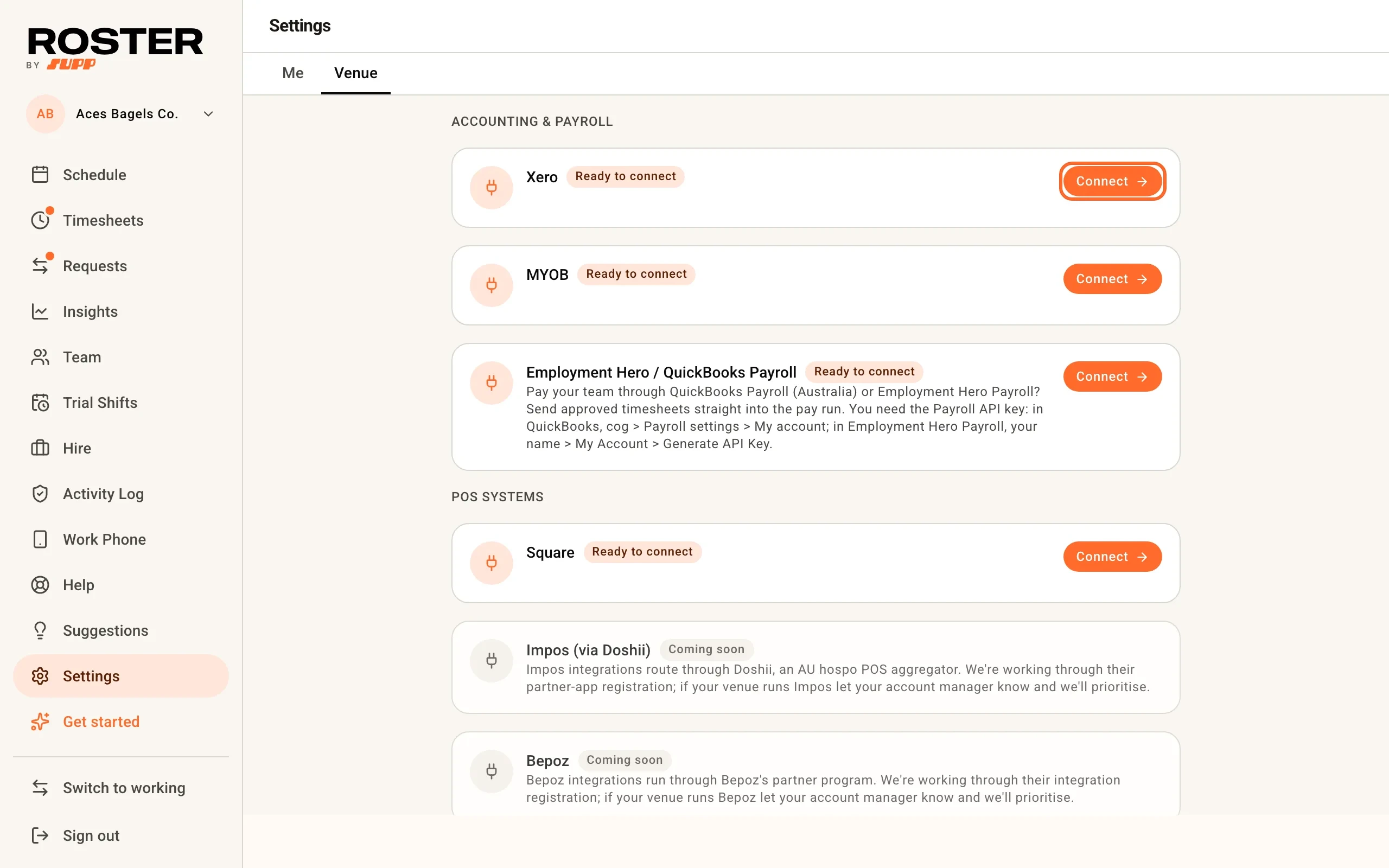
After that, every pay cycle is the same: approve timesheets in Roster, export them to Xero as drafts, and your bookkeeper signs them off there. Complete a pay run with Xero is the step-by-step runbook, including what to do when the export complains.
Bringing your team in from Xero
From Team, choose Import from Xero and Roster pulls your active employees into a review table before any invites go out: name, email, phone, employment basis and pay rate. Salaried employees get a derived hourly rate (annual salary divided by 52 weeks and their weekly hours) so their shifts still cost correctly on the schedule. If there's nothing to derive a rate from, that field is left blank rather than guessed - a guessed rate that's wrong is worse than one you know to go check.
Details from Xero
Once a worker is paired, Roster fills in what their Xero employee record already holds and Roster does not: their date of birth, start date and employment type (full time, part time or casual). It happens when you pair them, and Pull from Xero on the pairing card does it for everyone paired at once, so nobody types seven dates of birth by hand. Only blanks are filled. A date the worker entered on their payroll form, or an employment type you set on their profile, is never replaced, and the summary says what was pulled, who already had it, and who Xero has nothing more for. The date of birth lands on the worker's payroll record, the same place their own payroll form saves it. The Activity Log records each pull by field name; the dates themselves stay on the record. Pay rates are not part of this pull - they have their own button, below.
Pay rates from Xero
Once a worker is paired, Roster reads their pay rates from their Xero pay template, so the schedule's cost estimates, Insights and staff pay estimates price a weekend shift the way Xero will pay it. Their ordinary earnings rate becomes their weekday rate. Their Saturday and Sunday rates come from the weekend pay items your timesheet export puts those hours on (the Weekend and public holiday pay items card): the rate entered for them on that item in Xero, else the item's own rate, else its multiplier times their ordinary rate. Salaried employees get their salary divided by 52 weeks and their weekly hours, the same for every day.
It happens when you pair them (if you can see pay), and Sync pay rates on the pairing card refreshes everyone; each profile shows when its rates were last synced, and the Activity Log records every change. Pull pay rate on a worker's profile does the same for one person, with a preview first.
Where Xero has no weekend figure for someone (no Saturday or Sunday pay item mapped to their ordinary rate, or an item with no rate for them), the summary names them and that day uses their weekday rate. A weekend rate you already set in Roster above their weekday rate is kept instead. Choose Same as Mon-Fri rate on the pay items card and the weekday rate is used on purpose, with nothing to report. Workers priced from an award classification in Roster are left alone, since the award already sets their weekend rates and keeps them current; Pull pay rate on their profile switches one to Xero's figures if you prefer. Public holiday, evening and overtime loadings are not pulled. Nothing is ever written to Xero.
Cost centres and tracking categories
If your Xero organisation tracks wage costs by cost centre (a tracking category nominated under Timesheet Categories in Xero's payroll settings), Roster can tag every exported hour with the right one - including when staff work across multiple sites or areas.
Set it up once under Settings, Venue, Integrations, in the Cost-centre tracking card on the Xero integration:
- Pick a venue default - the cost centre used for any hours that don't have a more specific mapping.
- Optionally map each of your areas to its own cost centre. Hours follow the area of the shift they were worked in.
From then on, exported timesheet lines carry the matching tracking option in Xero, so wage costs report by cost centre without the bookkeeper re-keying anything. Multi-venue groups connect each venue to the same Xero organisation and give each its own default - a worker covering two sites in one pay period lands in one Xero timesheet with their hours split correctly per site.
One thing to know: if your Xero org enforces timesheet tracking and the mapping isn't set up in Roster yet, Xero rejects untagged timesheets - the export will tell you exactly that and point you at the setup card.
Coming soon
Being straight about the current limits:
- Leave balances don't sync yet. Roster sends approved leave to Xero, but doesn't read accrual balances back - check a worker's remaining balance in Xero before approving leave.
- No automatic pay-run posting. Exports land as drafts by design. A human always signs off in Xero before anything pays out.
- Penalty rates need matching pay items in Xero. Roster moves exported hours onto your Saturday, Sunday, public-holiday and evening pay items. It finds them by name: items named like the worker's ordinary rate with the day or time window on the end (for example "HIGA - CAS - M-F Ordinary" alongside "... - Sat", "... - Sun", "... - PH", "... - M-F 7pm-12am"), and you confirm or override the match in the Weekend and public holiday pay items card. Where a weekend or public-holiday item is missing, Roster holds that worker's timesheet back and names them rather than paying those hours at the Mon-Fri rate - create the item from the card, or choose Same as Mon-Fri rate. Only a missing evening item falls back to the ordinary rate, with a warning.
- Revert export is Xero-only, and unavailable while a second payroll integration is connected.
Frequently asked
Does this work for MYOB too? MYOB is timesheets only: pair your team, pick a default wage category, and approved hours go straight onto MYOB timesheets for the pay run. Team import, leave sync, weekend pay items and cost-centre tracking are Xero-only for now.
What about QuickBooks Payroll or Employment Hero? Both run on the same engine and connect with a Payroll API key instead of a sign-in - see Employment Hero / QuickBooks Payroll.
What if I use none of these? Export approved timesheets to CSV or Excel and hand them to any payroll provider or bookkeeper.