Your website's enquiry form can feed straight into Events. Each enquiry lands in a tray above the board, and nothing becomes an event until you add it, so spam and tyre-kickers never clutter the board.
1. Turn the form on
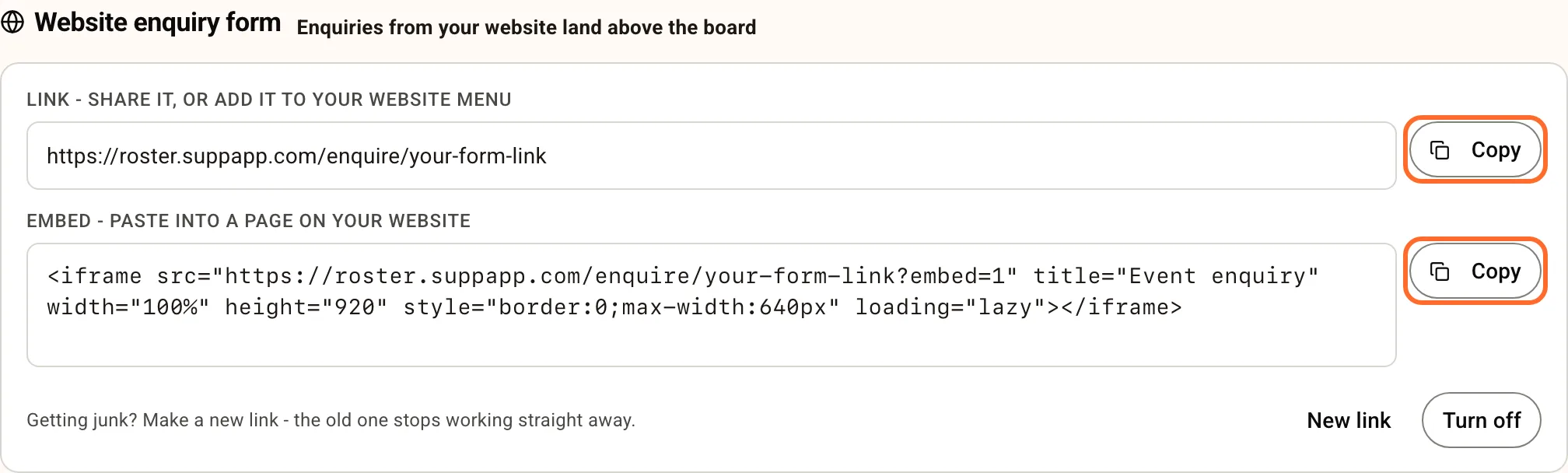
Go to Events and scroll to Website enquiry form, below the templates. Click Turn on.
You get two things, each with a Copy button:
- A link to a hosted form with your venue's name on it. Use it for a button on your website, your Instagram bio or an email signature.
- An embed snippet that puts the same form inside a page on your website. Paste it wherever your web builder accepts HTML (Squarespace, Wix, WordPress and Framer all have an embed or code block).
2. What enquirers fill in
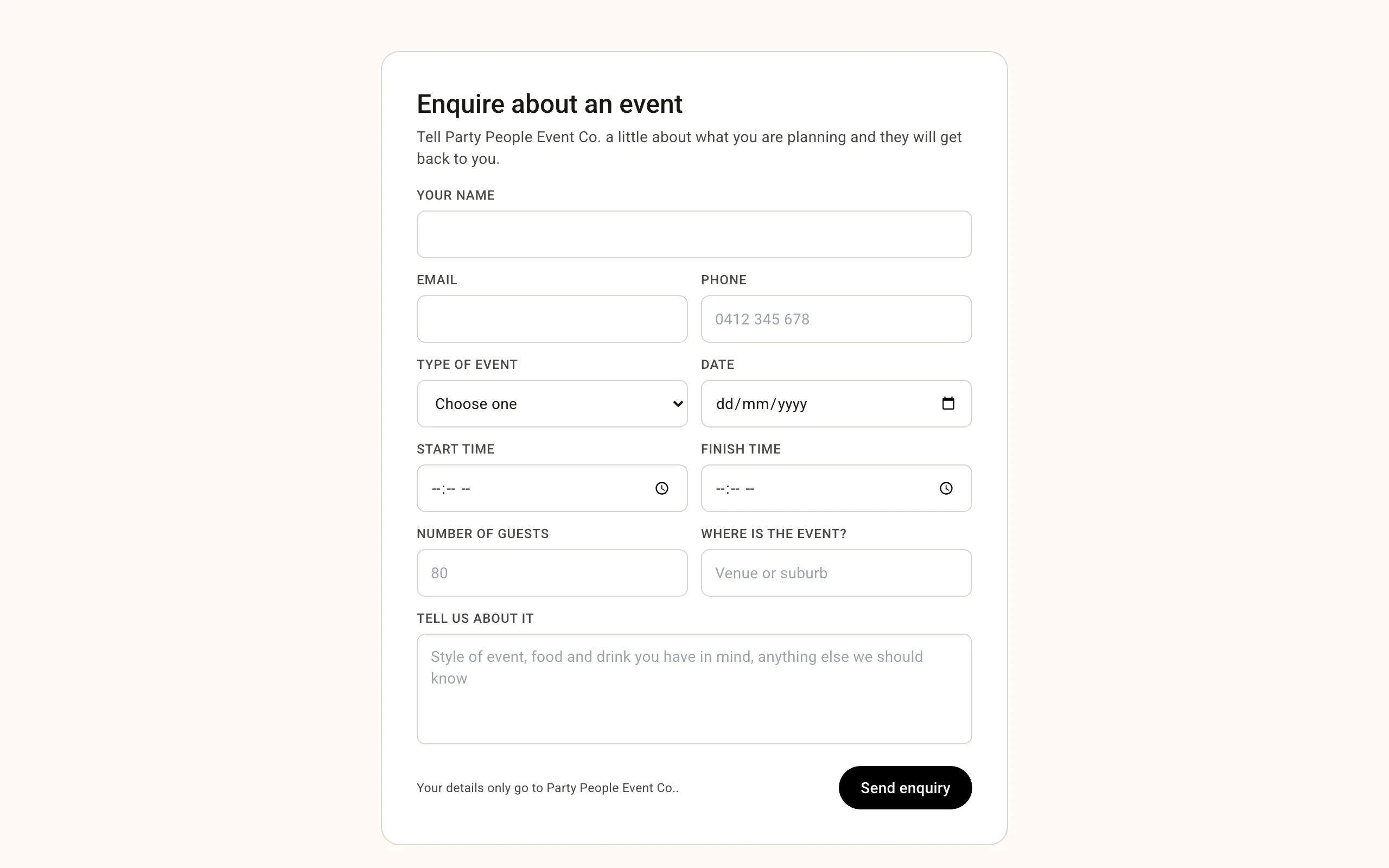
Name, an email or phone number, the type of event, the date, start and finish times, number of guests, the location and a message. Only a name and one way to contact them are required. The date can't be in the past, and the form tells them plainly when something needs fixing.
When they submit, they see a thank-you message naming your venue.
3. When an enquiry arrives
Every owner and manager with email turned on gets New enquiry: name - type on date. Reply to that email and your reply goes straight to the person who enquired.
The email's link opens the enquiry on the board, ready to add.
4. Add it to the board, or dismiss it
New enquiries appear under Website enquiries above the board's columns, with all the details.
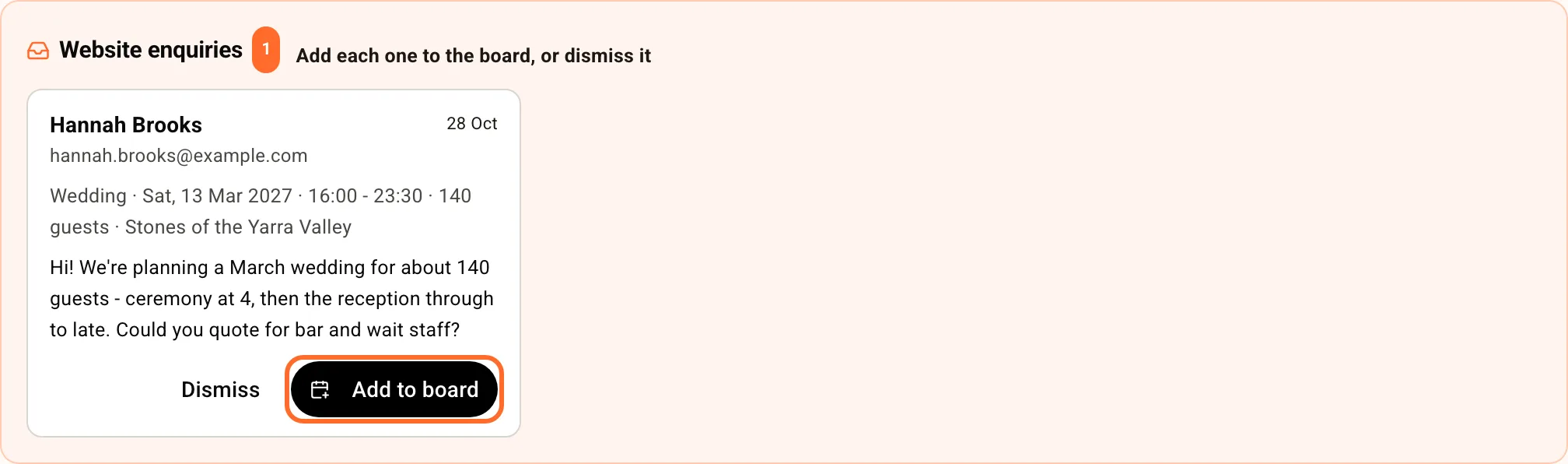
- Add to board opens New event with everything filled in: a title like "Vi Nguyen - Wedding", the client, date, times, guests and site. Their message and contact details go into the notes. Pick a template if you like, then click Create event. The enquiry leaves the tray, and the enquirer's email and phone are saved on the client.
- Dismiss takes an enquiry off the tray for good.
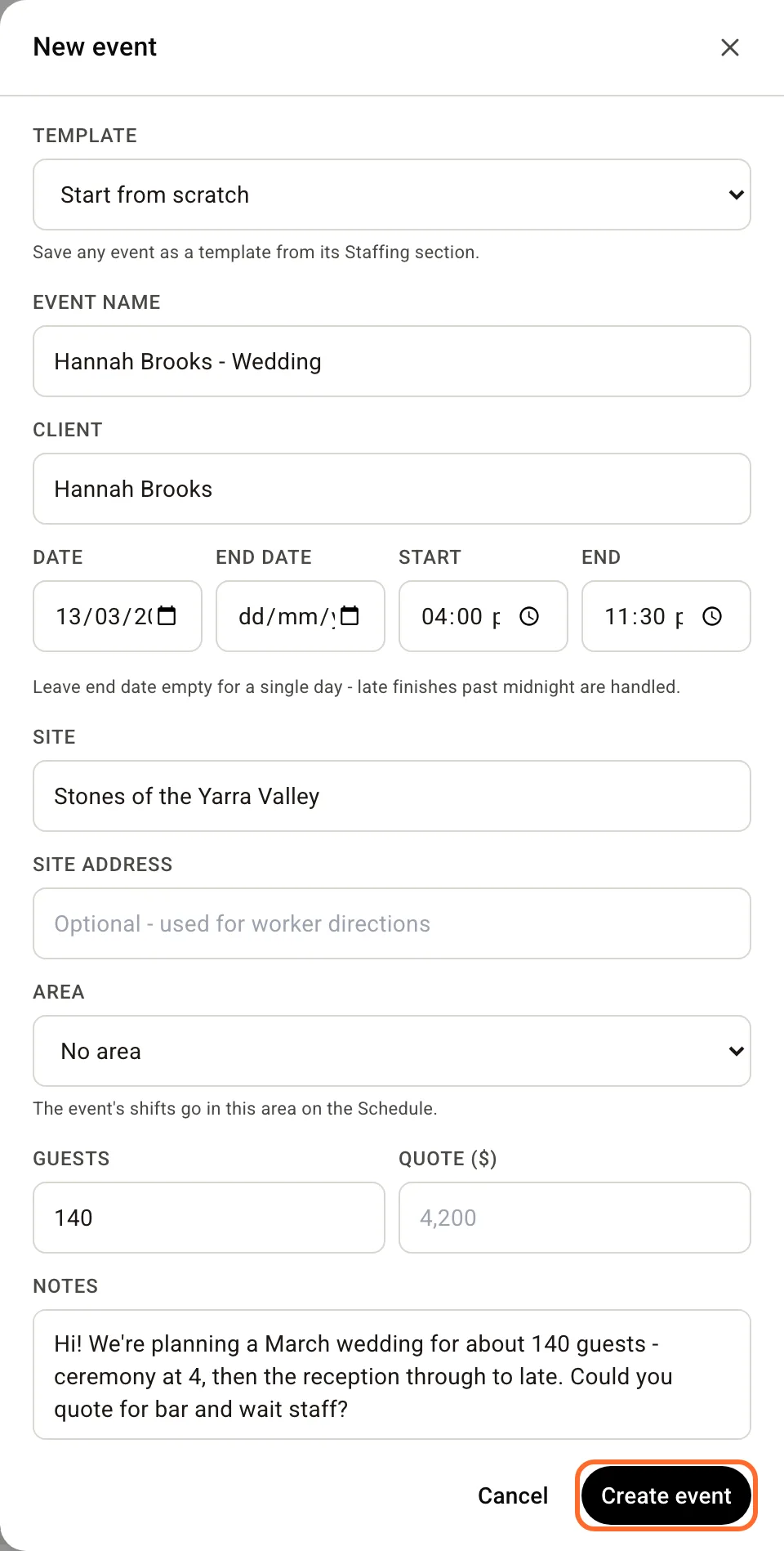
If the enquiry didn't give times, the event starts at 17:00 to 23:00. Change them before you create it.
5. Change or turn off the link
- New link replaces the form's address. The old link stops working immediately, which is how you shut out a spammer. Update the link or snippet on your website afterwards.
- Turn off disables the form. The link stops working until you turn it on again.
The form has spam protection built in, and someone sending enquiry after enquiry is slowed down automatically.
Next: Plan and staff an event.