Roster treats every shop as its own venue. That keeps each team, schedule and pay run clean, and it means a group grows one venue at a time rather than one giant roster.
Step by step, with screenshots: Set up your organisation.
Each shop is a venue
Add a venue from the venue switcher at the top of the schedule and flick between them. Each venue has its own team, schedule, timesheets, settings, integrations and subscription. Billing is per venue and priced by team size: owners, managers and staff all count, and a person who works at two venues counts at each one. A quiet second site whose team fits the free band costs nothing.
One login, every venue
Invite the same person at each venue with the mobile or email they already use with Roster, and that venue is added to the login they have - no second account. If you run the other venue too, tick it under Also add to on the invite form and one Send invites them at each venue. They get one message per venue and accept each. The steps are in Add a new employee. They switch venues from the switcher in their app, and their shifts, clock-in and timesheets show the venue they have open. Managers who run several shops switch the same way.
Your team across venues
Once your venues are in an organisation, open Settings, Organisation and switch to Team.
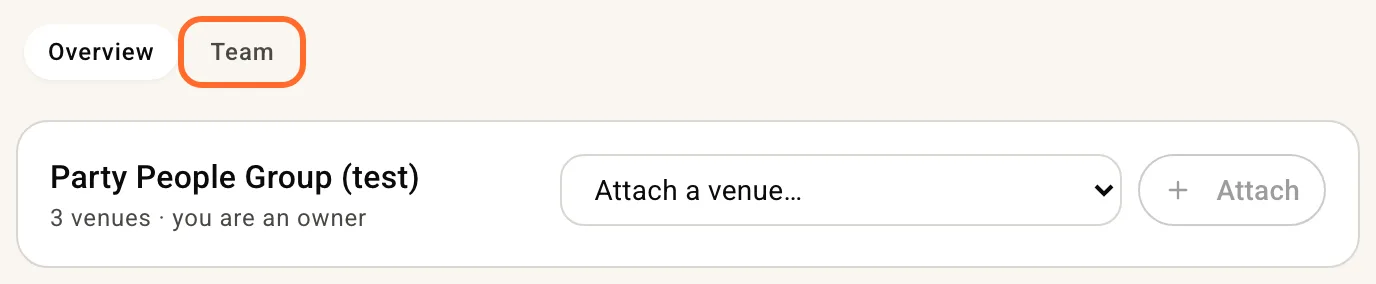
It lists everyone across your venues once, with a tick per venue.
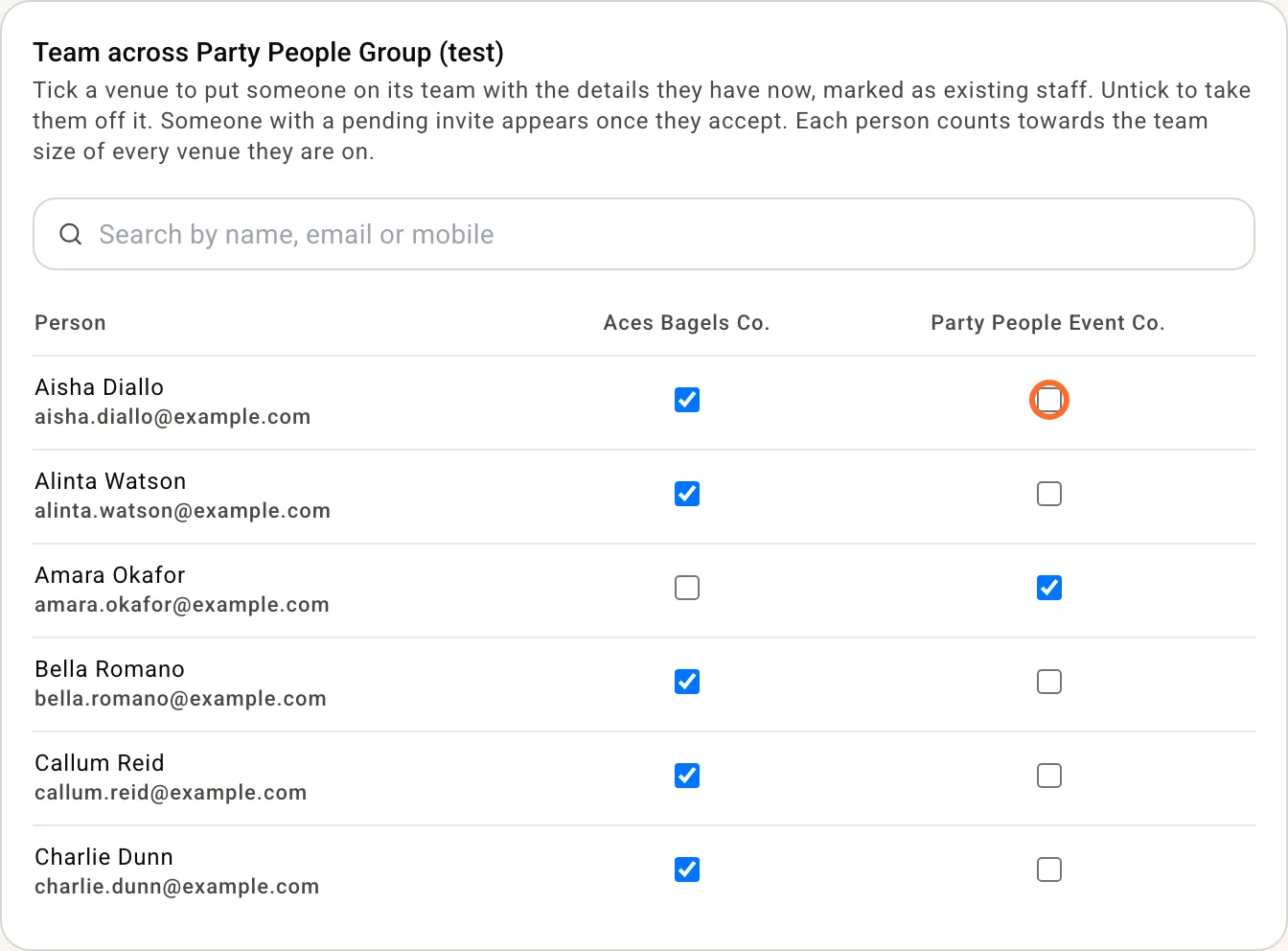
Tick a venue to put someone on its team straight away, with the pay, award, employment type and contact details they have at the venue they came from, marked as existing staff so they are not asked for payroll details again. They get one text or email saying they have been added, and the venue shows in their app. Untick a venue to take them off it; any upcoming shifts they held there go back to unfilled. Owners stay on their own venue. Someone with a pending invite appears once they accept. Pay can differ by venue, so change their rate on that venue's Team page after adding, and pair them in that venue's payroll settings, which stay per venue.
The All venues schedule
Managers of two or more venues get an extra entry in the switcher: All venues. It shows every person once, with their shifts at every shop, so you can read the week across the group and see when someone is rostered at two shops at the same time. It shows the clash; it does not yet stop you making it. Narrow the view to a few venues with the venue filter.
Switch the week to By area to read it one venue at a time. Each venue's areas sit under a heading with the venue's name. Click a heading to fold that venue away; while it is folded, each day shows how many shifts it holds.
Notices across your venues
On Notices, New post shows Also post to with a tick for each of your other venues, so one post reaches every team. Each venue keeps its own copy and its own record of who acknowledged, and you can edit or remove it at every venue or just one. More in Notice board.
Clocking in
Nobody can be clocked in at two venues at once. A worker with a shift open at one venue has to clock out before they can clock in at another.
Timesheets across your venues
Managers of two or more venues get a switch at the top of Timesheets: This venue or All my venues. All my venues lists every venue's timesheets for the period, grouped by venue, with the pending count for each. Approve, edit or discard a timesheet from there and it is recorded against the venue it belongs to, exactly as if you had done it on that venue's own page. The choice is remembered for you, not for the venue, so another manager at the same venues keeps their own.
Payroll and integrations
Payroll stays per venue: export venue by venue, and connect each venue's own payroll and point of sale. On All my venues, each venue's section has an Export at button that opens that venue's own Timesheets page for the same period, where its export, missed shifts and Add timesheet live. A worker on two venues appears under each venue with the hours they worked there.